Making SIM management simpler for self-service customers
Sole UX Designer
Athalos Global Services
MVP shipped
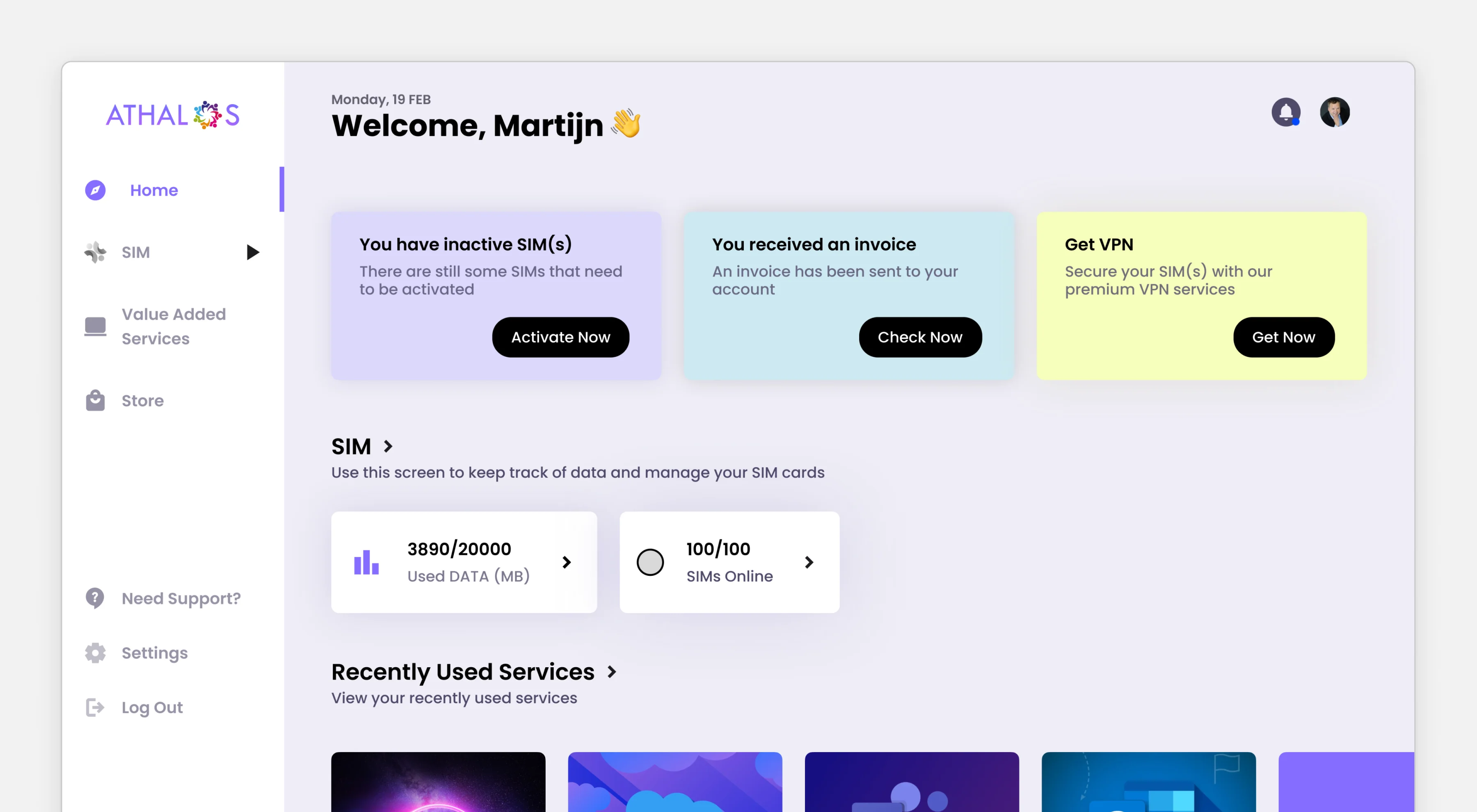
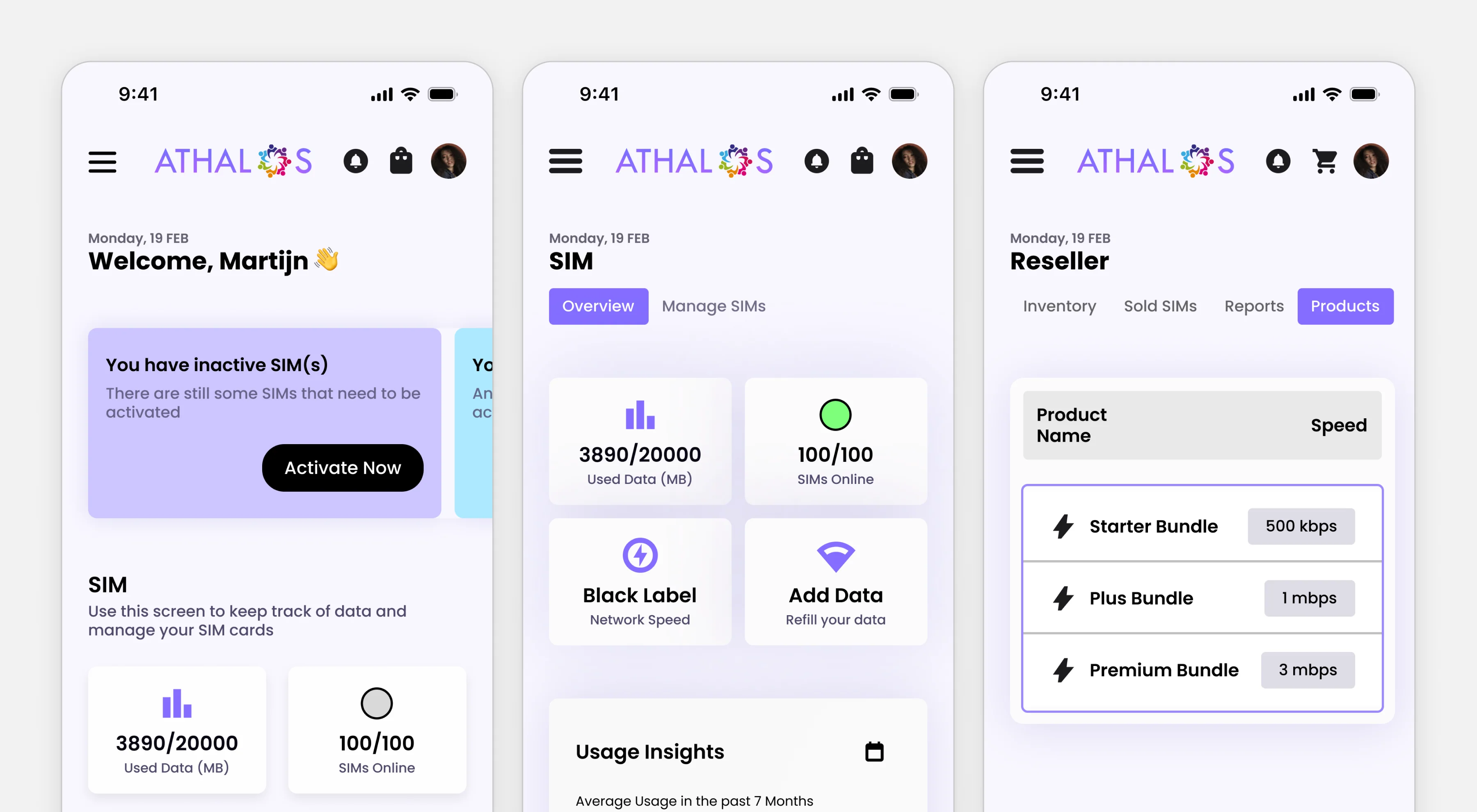
Replacing a frustrating, developer-centric tool for non-technical teams
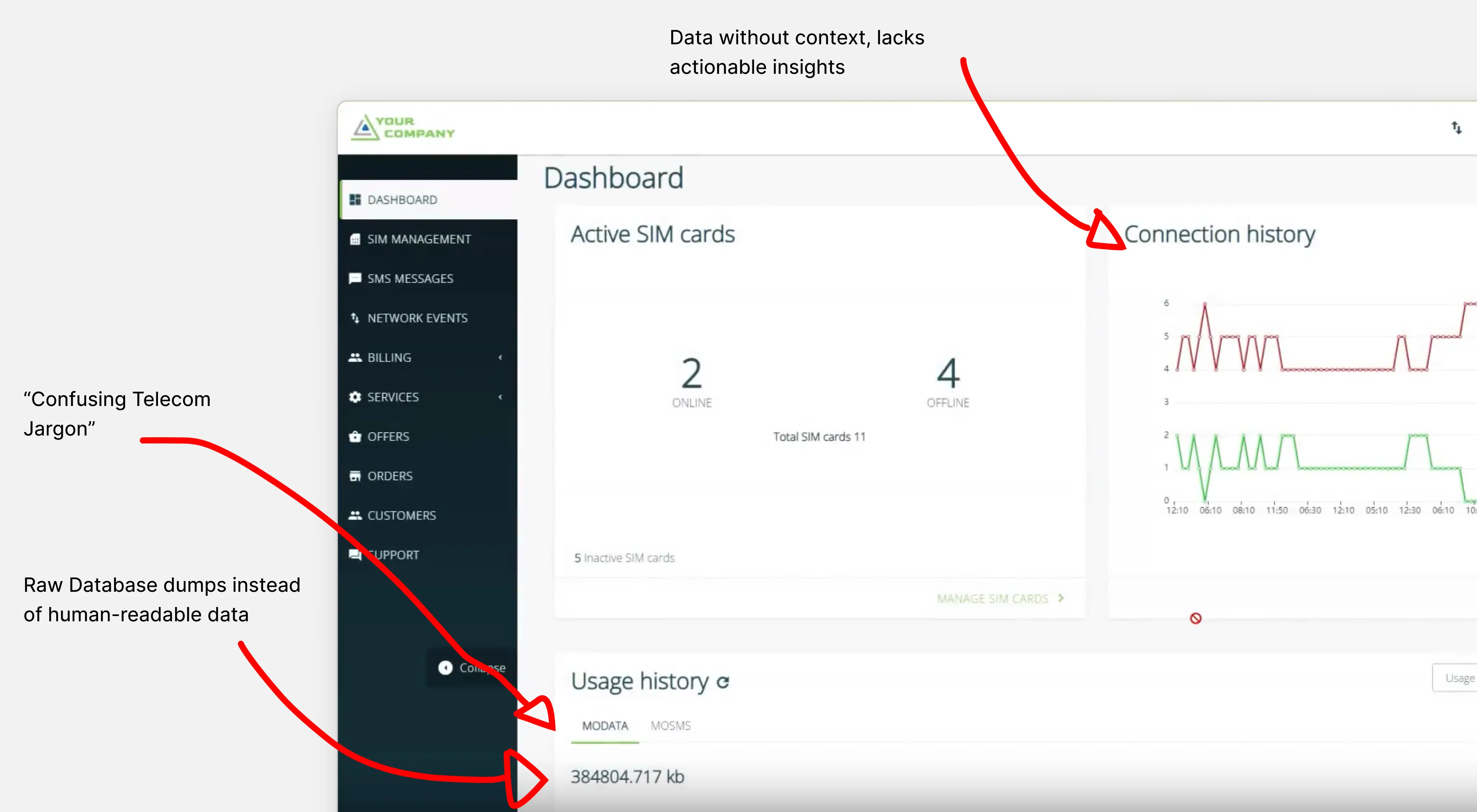
Athalos relied on a third-party platform to manage international SIMs, but the interface was filled with technical jargon, dense navigation, and raw system data. For non-technical users, basic tasks like activating SIMs or checking usage became frustrating, time-consuming, and dependent on support.
Delivering a validated, white-label MVP under strict startup constraints
We needed to design our own intuitive, white-label platform that could be used effortlessly by both our internal team and our external customer base. The catch? With limited startup funding and tight deadlines, I had to work incredibly fast as the sole designer to take this complex problem from messy ideation to a validated MVP
Skipping formal research to observe real user struggles on the spot
With a tight deadlines, there was no time for formal, drawn-out UX research phases. Instead of scheduling hypothetical interviews, I sat next to colleagues and watched them struggle with the legacy platform in real-time. Seeing exactly where they got stuck or confused by telecom jargon gave me immediate, actionable insights.
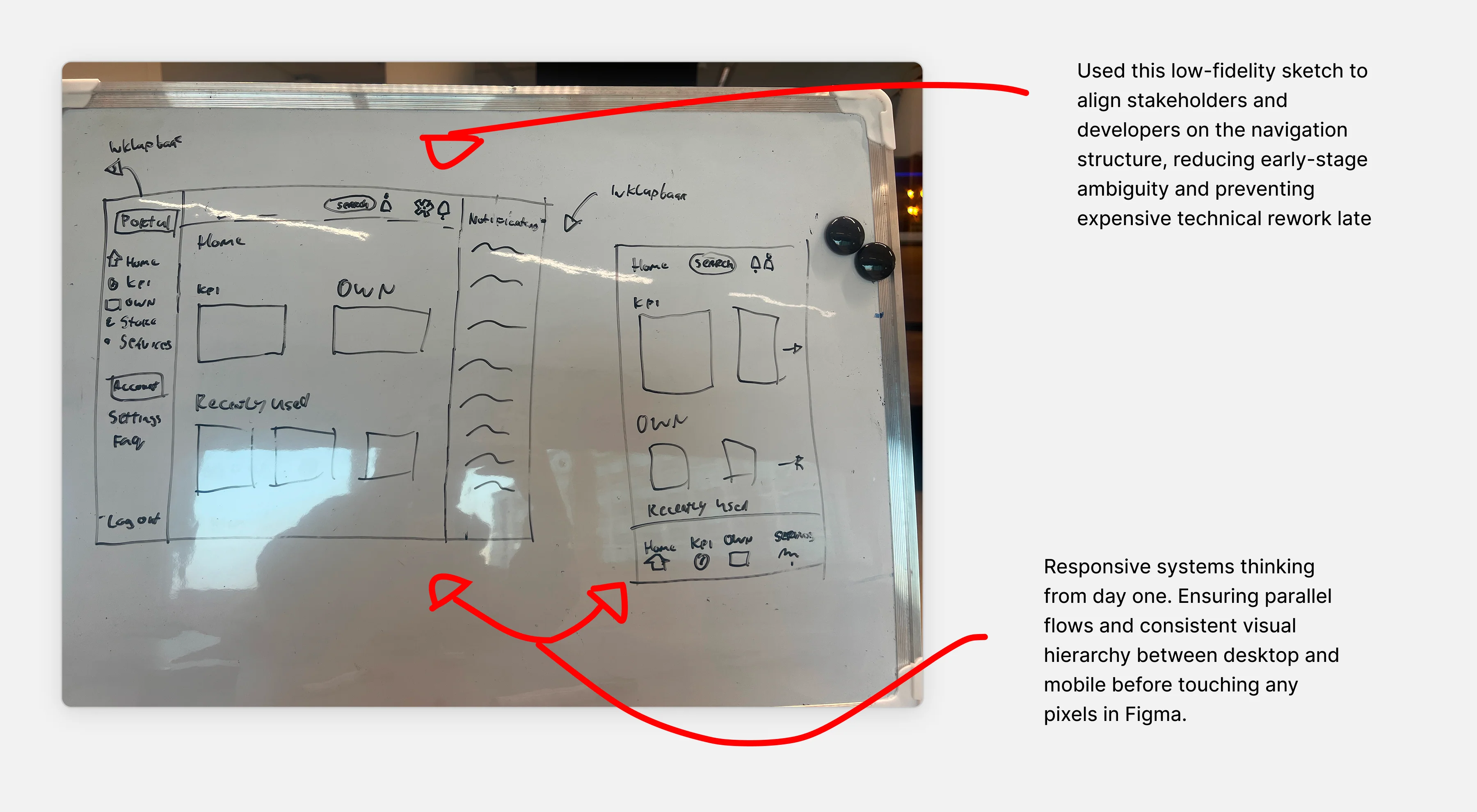
Mapping out dynamic workflows on the whiteboard before touching UI
Rather than jumping straight into polished UI to figure out the complex workflows, I used whiteboards to map out the core user journeys with stakeholders and developers. We quickly realized a "one-size-fits-all" dashboard wouldn't work. The platform needed to be dynamic: stripping away the noise for everyday users (like our CEO or external clients), while keeping essential technical controls accessible for those who actually needed them.
Establishing a user-centric design process in a low-maturity environment
Building this platform from scratch meant establishing a design process in a chaotic environment. I frequently had to manage conflicting stakeholder expectations where feature requests were often based on what felt "cool" rather than what solved a real problem.
Shifting from 'Gut Feeling' to User Value
When faced with subjective opinions, I brought stakeholders straight to the whiteboard or shared rapid, unpolished prototypes. By anchoring our discussions in actual user tasks, I successfully shifted the team’s mindset from personal preference to evidence-based, user-centric decision-making.
Hiding complex telecom jargon to prioritize everyday user actions
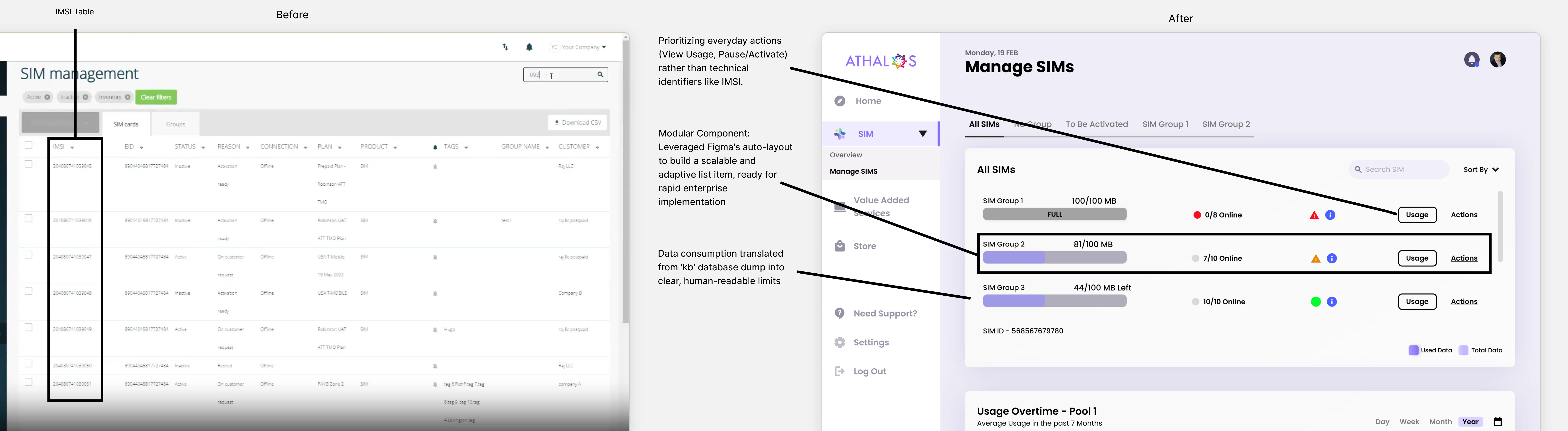
A glaring example of the legacy platform’s flaws was the SIM management data table. The very first column users saw was the "IMSI" (International Mobile Subscriber Identity) number. While crucial for a telecom engineer troubleshooting a network issue, it is entirely useless information for a consumer or a sales rep who just wants to know if a SIM is active.
Structuring the UI with scalable, auto-layout Figma components
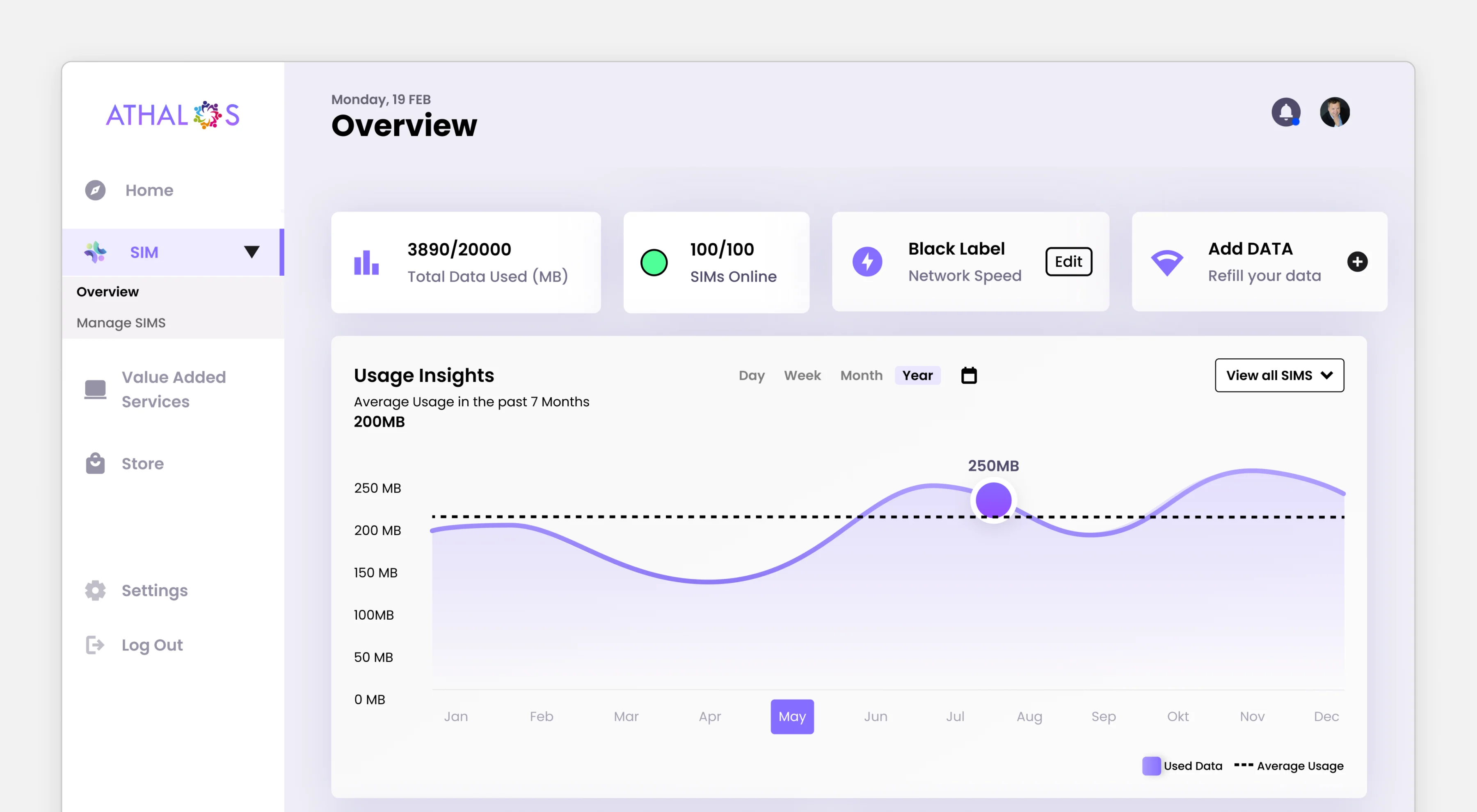
I completely overhauled the information architecture. Instead of presenting a raw database dump, I prioritized the information that actually mattered to our core users:
Action-oriented UI: I moved critical, everyday actions (like checking data limits, pausing, or activating a SIM) to the forefront.
Hidden Complexity: Technical identifiers like the IMSI weren't deleted, because engineers still needed them, but they were nested away under advanced details, dramatically reducing the cognitive load.
Clear Visual Hierarchy: By utilizing a clean component system in Figma (leveraging auto-layout and styles), I ensured the new interface was not only user-friendly but also scalable for future features.
Designing proactive, role-based alerts to prevent offline devices
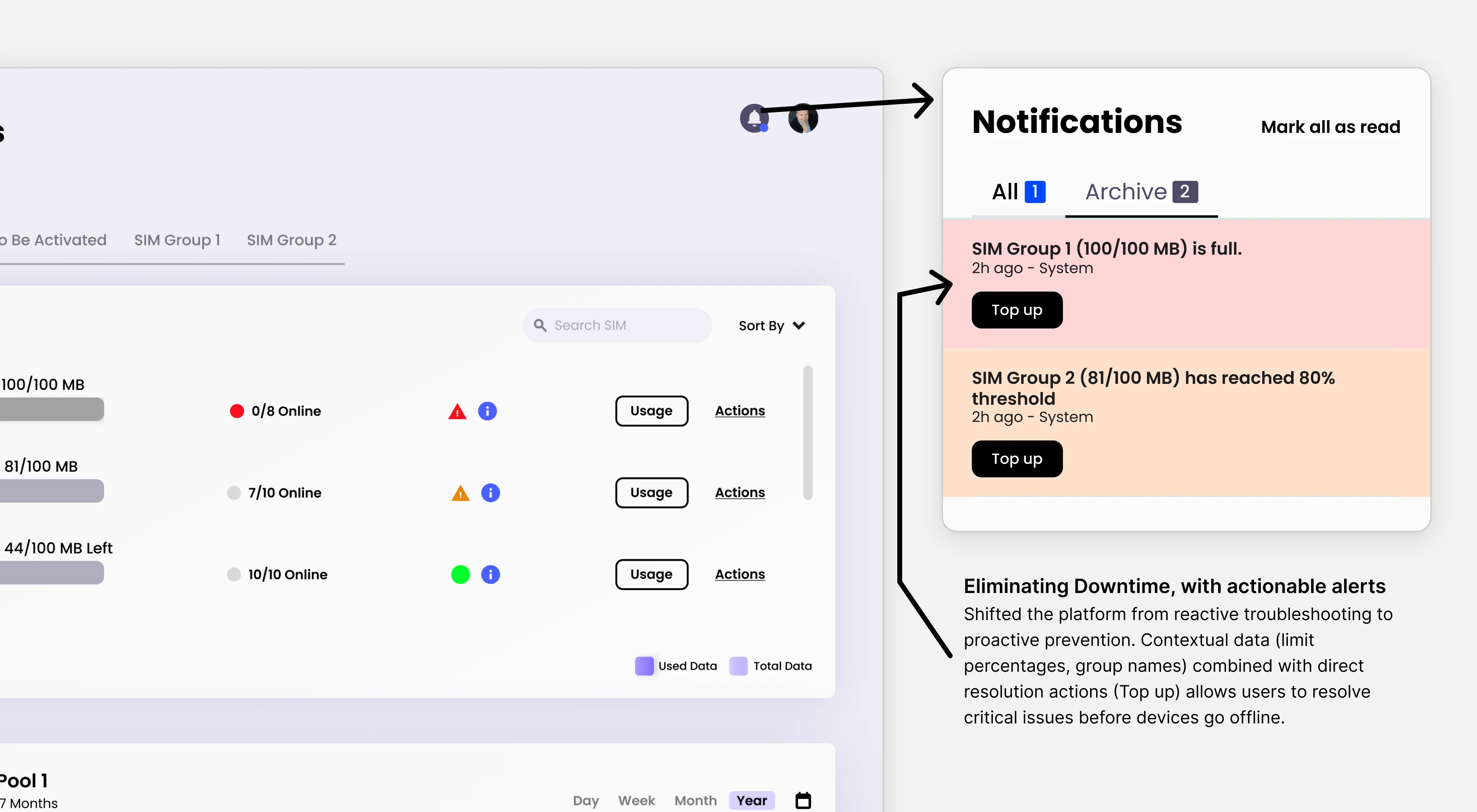
In the legacy tool, users only discovered a SIM was out of data after a device stopped working. I designed a customizable notification system to shift the platform from reactive to proactive.
Critical Alerts: Users now get real-time warnings before data limits are hit, preventing offline devices and drastically reducing support tickets.
Customization: Recognizing that a CEO needs different alerts than a fleet manager, I allowed users to tailor notification thresholds to their specific roles, reducing alert fatigue.
Key Learnings & Outcomes
(I designed and validated the MVP. Further development was paused due to funding constraints, but the process yielded critical insights.)
Strategic Design
I learned to connect UX decisions directly to product growth and operational efficiency, moving beyond just "making things look good."
Resilience Under Pressure
Operating in a chaotic startup environment with tight deadlines forced me to navigate ambiguity and prioritize ruthlessly.
Defending Decisions
I successfully shifted stakeholders away from preference-based ("I think this looks cool") requests, using rapid prototypes to drive user-validated decisions.
End-to-End Ownership
From scrappy whiteboard research to high-fidelity Figma components, I owned the entire pipeline, proving I can ship functional products fast.

Product Designer focused on usable, feasible products
Designing with implementation in mind.
Copyright @ 2026 Christiaan Sanmoekmin. This site is built with Framer. Icons by Lucide